
Aaj ke time me AI Photo Editing bahut fast trend ban chuka hai. Pehle photo edit karne ke liye Photoshop jaise software aur editing skills chahiye hote the. Lekin ab Artificial Intelligence (AI) ki madad se koi bhi insaan sirf ek click me apni photo ko professional bana sakta hai.
Agar aap social media, blog ya YouTube ke liye photo edit karna chahte ho to AI tools aapka kaam bahut easy bana dete hain.
Is article me hum jaanenge:
- AI se photo edit kaise kare
- Best free AI photo editing tools
- AI photo editing ke fayde
- Beginners ke liye easy methods
Agar aap beginner ho to bhi aap easily AI photo editing kar sakte ho.
AI Photo Editing Kya Hai?
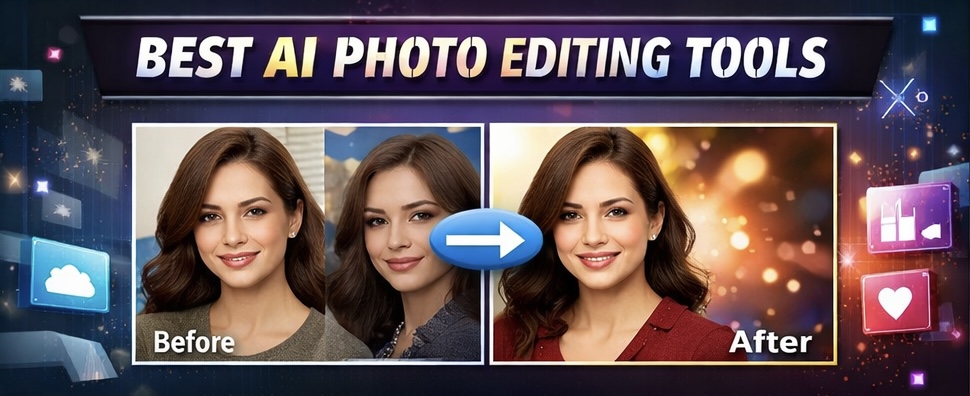
AI Photo Editing ka matlab hai Artificial Intelligence ki madad se automatically photo ko improve karna.
AI tools photo ko analyze karke:
- background change kar dete hain
- face smooth kar dete hain
- color correction kar dete hain
- object remove kar dete hain
Sabse badi baat ye hai ki ye sab sirf 1 click me ho jata hai.
Isliye aajkal bloggers aur content creators AI image editing tools ka use kar rahe hain.
AI Se Photo Edit Kaise Kare (Step By Step)
Agar aapko AI se photo edit karna hai to ye simple steps follow kare:
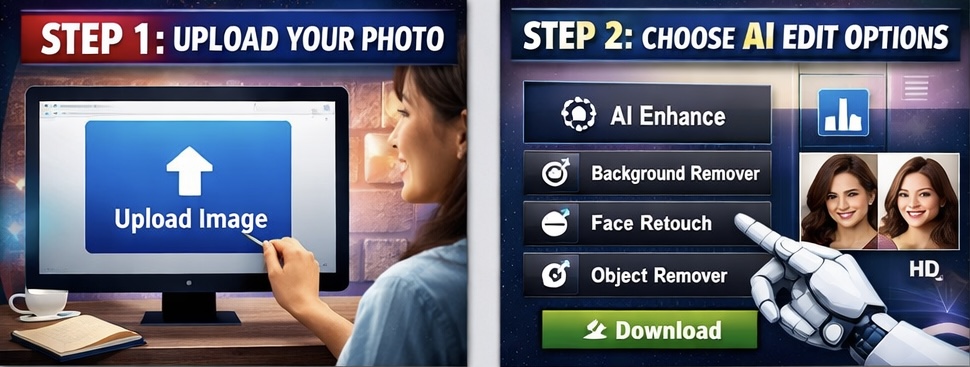
Step 1: AI Photo Editing Tool Open Kare
Sabse pehle kisi bhi AI photo editing website ya app ko open kare.
Example:
- Canva AI
- Remini
- Fotor
- Pixlr

Step 2: Apni Photo Upload Kare
Ab Upload Image option par click karke apni photo select kare.
Step 3: AI Edit Option Choose Kare
AI tools me kai options milte hain jaise:
- AI Enhance
- Background Remover
- AI Face Enhance
- AI Object Remover
Aap apni zarurat ke hisab se option select kar sakte ho.
Step 4: Photo Download Kare
Edit hone ke baad aap photo ko HD quality me download kar sakte ho.
Bas itna hi simple hai AI photo editing.
Best Free AI Photo Editing Tools (2026)
Agar aap best tools dhund rahe ho to ye free AI tools try kar sakte ho.
1 Canva AI
Canva ek popular design platform hai jisme AI editing features bhi milte hain.
Features:
- Background remover
- AI image generator
- Magic edit
- Photo enhancer
Beginners ke liye Canva bahut easy tool hai.
2 Remini AI
Remini ek powerful AI photo enhancer app hai jo blurry photos ko clear bana deta hai.
Features:
- Face enhance
- Old photo restore
- HD photo quality
Ye tool especially portrait photos ke liye best hai.
3 Fotor AI
Fotor ek online AI photo editor hai jisme automatic editing tools milte hain.
Features:
- AI photo enhance
- AI background remove
- AI art generator
Agar aapko quick editing karni hai to ye tool kaafi useful hai.
4 Pixlr AI
Pixlr ek free online editor hai jo Photoshop jaisa experience deta hai.
Features:
- AI cutout
- AI background change
- Advanced editing tools
Ye tool beginners aur professionals dono ke liye useful hai.
AI Photo Editing Ke Fayde
AI tools use karne ke bahut fayde hain.
1 Time Bachata Hai
AI editing me sirf kuch seconds me photo edit ho jati hai.
2 Beginners Ke Liye Easy
Agar aapko editing nahi aati to bhi aap easily photo edit kar sakte ho.
3 Professional Result
AI tools automatic color correction aur enhancement kar dete hain jisse photo professional lagti hai.
4 Free Tools Available
Internet par kai free AI photo editing tools available hain.
Bloggers Aur Content Creators Ke Liye AI Photo Editing
Agar aap blogger ho ya website chalate ho to AI editing tools bahut helpful hote hain.
Example:
- Blog featured image banana
- Thumbnail design karna
- Social media posts banana
- Product images improve karna
Isliye aajkal almost sabhi bloggers AI tools ka use kar rahe hain.
AI Photo Editing Future
Future me AI technology aur advanced hone wali hai.
Aane wale time me AI tools:
- automatically photo shoot karenge
- realistic AI images generate karenge
- video editing bhi AI se hogi
Isliye AI photo editing industry bahut fast grow kar rahi hai.