

Agar aap ek student hain aur roz assignments, notes, aur exams ke bojh se pareshan hain, toh yeh article aapke liye hi likha gaya hai. 2026 mein, AI ne padhai karne ka tareeka bilkul badal diya hai. Isliye aaj hum baat karenge Best AI Tools for Students ke baare mein, jo na sirf aapka time bachayenge, balki aapki learning ko bhi kaafi behtar bana denge.
Chahe aapko homework mein help chahiye, ya phir notes banane hon, ya essay likhna ho — in tools ki madad se sab kuch chutki mein ho jayega. Sabse achhi baat yeh hai ki inme se zyada tar free AI tools for students ke roop mein available hain, matlab bina paisa kharch kiye bhi aap inka fayda utha sakte hain.
Toh chaliye, bina time waste kiye, seedha dive karte hain aur dekhte hain ki kaunse tools aapki study life ko asaan bana sakte hain.
Table of Contents
- Why Students Should Use AI Tools
- Top 10 Best AI Tools for Students in 2026
- Comparison Table
- Tips to Choose the Right AI Tool
- FAQs
- Conclusion
Why Students Should Use AI Tools
Aaj ke competitive zamane mein, sirf mehnat karna hi kaafi nahi hai — smart tareeke se kaam karna bhi zaroori hai. Isi wajah se AI learning tools itne popular ho gaye hain.

Yeh tools kaafi cheezon mein help karte hain, jaise ki:
- Notes banane mein time bachana
- Difficult topics ko simple bhasha mein samajhna
- Grammar aur spelling mistakes theek karna
- Presentations aur assignments jaldi taiyar karna
- Research karna aur authentic information dhundna
Iske alawa, in tools ko use karne se students apni AI homework tools ki dependency samajhdaari se manage kar sakte hain, taaki learning bhi ho aur kaam bhi time par complete ho. Halaanki, ek baat yaad rakhni chahiye — AI ek helper hai, replacement nahi. Isliye inhe seekhne ke process mein use karo, sirf copy-paste ke liye nahi. Ab dekhte hain 2026 ke sabse best tools, jo har student ke phone ya laptop mein hone chahiye.
10 Best AI Tools for Students in 2026

1. ChatGPT
*What is it*?
ChatGPT ek AI chatbot hai jo OpenAI ne banaya hai, aur yeh students ke beech sabse popular AI study apps mein se ek hai. Isse aap kuch bhi puch sakte ho — chahe woh homework ho, essay writing ho, ya phir coding concepts.
Key Features
- Natural conversation style
- Complex topics ko simple explain karta hai
- Essay aur assignment drafts banane mein help karta hai
- Coding aur math problems solve karta hai
Pros
- Bahut versatile aur beginner-friendly
- Free version bhi kaafi kaam ka hai
- Multiple languages support karta hai
Cons
- Kabhi kabhi galat information de sakta hai
- Free version mein limited access milta hai peak hours mein
Free or Paid?
Free version available hai, paid plan bhi hai extra features ke liye.
Best For
Har tarah ke academic doubts aur writing tasks ke liye.
2. Google Gemini
What is it?
Google Gemini, Google ka apna AI assistant hai jo seedha Google Search aur Docs ke saath integrate hota hai. Isliye research karna aur information verify karna aasan ho jata hai.
Key Features
- Real-time web information access
- Google Workspace ke saath smooth integration
- Images aur documents analyze kar sakta hai
Pros
- Google ecosystem ke users ke liye bahut convenient
- Latest information provide karta hai
- Multimodal support (text, image, voice)
Cons
- Kabhi kabhi responses thoda generic lagte hain
- Advanced features paid plan mein hi milte hain
Free or Paid?
Basic version free hai, advance features ke liye subscription chahiye.
Best For
Research-based assignments aur real-time information ke liye.
3. Microsoft Copilot
What is it?
Microsoft Copilot, Word, Excel aur PowerPoint jaise tools ke andar direct kaam karta hai. Agar aap regularly MS Office use karte ho, toh yeh aapke liye best hai.
Key Features
- Word mein directly essay likhne mein help
- PowerPoint presentations automatically banata hai
- Excel mein data analysis karta hai
Pros
- Office tools ke saath perfectly integrated
- Presentations banane mein time bachata hai
- Professional quality output
Cons
- Full features ke liye Microsoft 365 subscription chahiye
- Beginners ke liye thoda technical lag sakta hai
Free or Paid?
Limited free access, full features paid plan mein.
Best For
Presentations, reports aur documents banane wale students ke liye.
4. Perplexity AI
What is it?
Perplexity ek AI-powered search engine hai jo aapke sawalon ke sourced, accurate jawab deta hai. Yeh research assignments ke liye kaafi useful hai.
Key Features
- Har answer ke saath source citation
- Clean aur simple interface
- Follow-up questions puchna aasan
Pros
- Reliable aur trustworthy information
- Research paper likhne mein bahut madadgaar
- Free version bhi kaafi powerful hai
Cons
- Creative writing ke liye utna suitable nahi
- Deep analysis ke liye paid plan behtar hai
Free or Paid?
Free version available, Pro plan bhi hai.
Best For
Research-heavy subjects aur fact-checking ke liye.
5. Grammarly
What is it?
Grammarly ek writing assistant hai jo grammar, spelling aur tone check karta hai. Yeh un students ke liye must-have hai jo English mein assignments likhte hain.
Key Features
- Grammar aur spelling correction
- Tone aur clarity suggestions
- Plagiarism checker (premium mein)
Pros
- Writing confidence badhata hai
- Browser extension ke through kahin bhi use ho sakta hai
- Free version bhi bahut helpful hai
Cons
- Advanced suggestions ke liye premium chahiye
- Kabhi kabhi over-correct kar deta hai
Free or Paid?
Free version hai, premium plan bhi available hai.
Best For
English essays, reports aur emails likhne wale students ke liye.
6. Notion AI
What is it?
Notion AI, Notion app ke andar built-in AI feature hai jo notes organize karne aur summarize karne mein madad karta hai. Yeh best AI note-taking apps mein se ek maana jata hai.
Key Features
- Notes automatically summarize karta hai
- To-do lists aur study planners banata hai
- Content ko structured format mein organize karta hai
Pros
- Study organization ke liye zabardast
- Cross-device sync
- Clean aur customizable interface
Cons
- AI features ke liye paid add-on lena padta hai
- Beginners ke liye thoda learning curve hai
Free or Paid?
Notion free hai, AI features ke liye extra charge lagta hai.
Best For
Notes organize karne aur study planning ke liye.
7. Canva AI
What is it?
Canva AI, design banane wala tool hai jo presentations, posters aur infographics banane mein help karta hai — bina design skills ke bhi.
Key Features
- AI-powered design suggestions
- Templates ka bada collection
- Magic Resize aur background remover jaise features
Pros
- Bahut easy aur beginner-friendly
- Free version mein bhi kaafi templates milte hain
- Presentations aur projects attractive banata hai
Cons
- Kuch premium templates locked rehte hain
- Internet ke bina use nahi ho sakta
Free or Paid?
Free version hai, Canva Pro subscription bhi available hai.
Best For
Visual projects, posters aur presentation designs ke liye.
8. Gamma AI
What is it?
Gamma AI ek tool hai jo sirf text prompt se professional presentations aur documents automatically bana deta hai.
Key Features
- Text se instant presentation generate karta hai
- Design automatically adjust hota hai
- Export options PDF aur PPT mein
Pros
- Time bahut bachata hai
- Design skills ki zaroorat nahi
- Clean aur modern templates
Cons
- Free plan mein limited credits milte hain
- Fine customization thodi limited hai
Free or Paid?
Free version limited credits ke saath, paid plan unlimited use ke liye.
Best For
Jaldi presentations banane wale students ke liye.
9. Quizlet AI
Quizlet AI, flashcards aur practice tests banane wala app hai jo exam preparation mein kaafi help karta hai.
Key Features
- AI-generated flashcards
- Practice tests aur quizzes
- Personalized study recommendations
Pros
- Revision ke liye bahut effective
- Fun aur interactive learning style
- Mobile app bhi available hai
Cons
- Advanced features premium mein hain
- Kuch subjects ke liye limited content
Free or Paid?
Free version available, Quizlet Plus bhi hai.
Best For
Exam revision aur quick memorization ke liye.
10. Otter.ai
What is it?
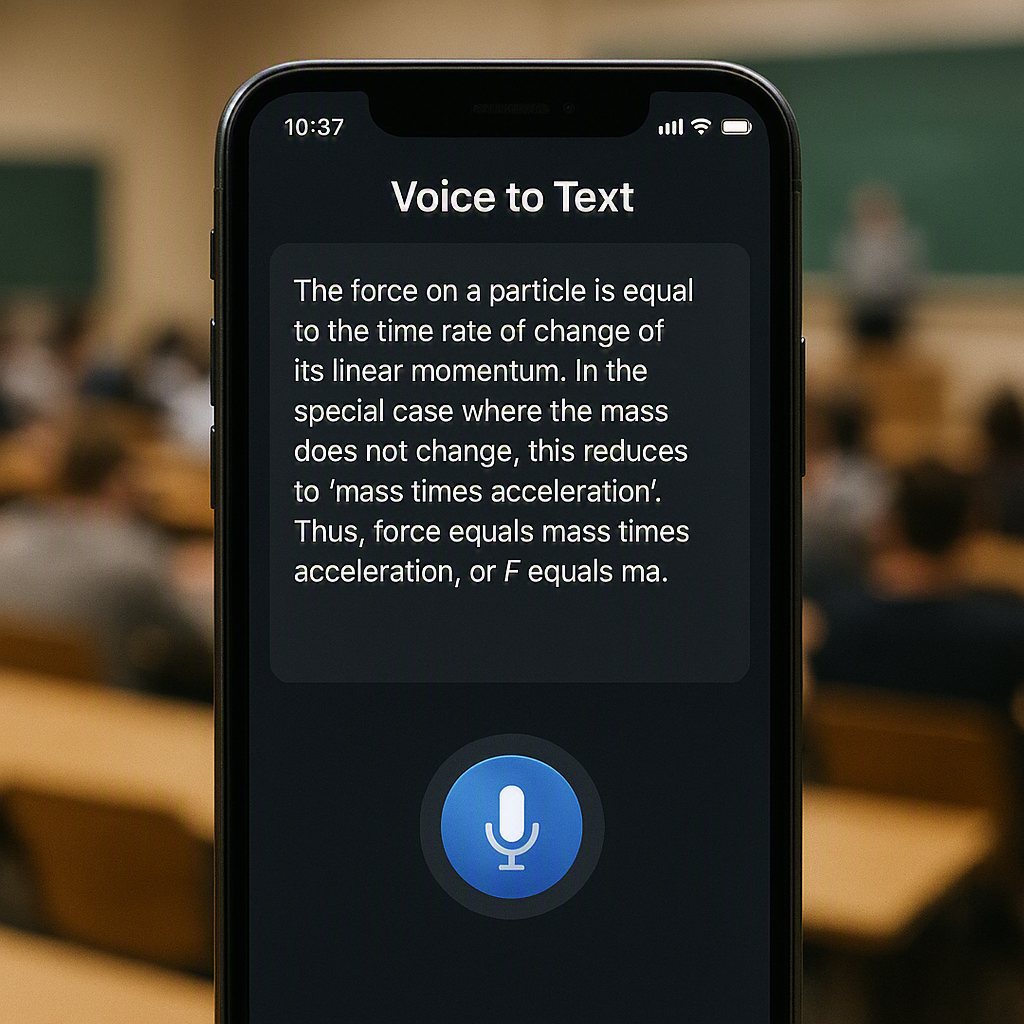
Otter.ai ek transcription tool hai jo lectures aur meetings ko automatically text mein convert kar deta hai. College students ke liye yeh bahut useful hai.
Key Features
- Real-time voice-to-text transcription
- Lecture recordings ko searchable notes mein badalta hai
- Summary generation feature
Pros
- Lectures miss hone ka tension khatam
- Notes automatically ban jaate hain
- Time aur effort dono bachta hai
Cons
- Accents ke sath accuracy thodi kam ho sakti hai
- Free plan mein monthly transcription limit hai
Free or Paid?
Free version limited minutes ke saath, paid plan zyada usage ke liye.
Best For
Lecture notes aur meeting transcripts ke liye.
Comparison Table of AI Tools for Students
| AI Tool | Best For | Free or Paid | Key Strength |
|---|---|---|---|
| ChatGPT | Homework, writing, coding, brainstorming | Free + Paid | All-in-one AI assistant |
| Google Gemini | Research, summaries, Google integration | Free + Paid | Real-time web information |
| Microsoft Copilot | Documents, presentations, Excel | Free + Paid | Deep Microsoft Office integration |
| Perplexity AI | Research with references | Free + Paid | Accurate answers with sources |
| Grammarly | Grammar, spelling, tone improvement | Free + Paid | Advanced writing assistance |
| Notion AI | Note-taking, planning, productivity | Free + Paid Add-on | Smart workspace organization |
| Canva AI | Graphic design, social media posts | Free + Paid | AI-powered design creation |
| Gamma AI | Presentations and documents | Free (Limited) + Paid | Creates slides in minutes |
| Quizlet AI | Exam preparation and revision | Free + Paid | AI flashcards and quizzes |
| Otter.ai | Meeting and lecture transcription | Free (Limited) + Paid | Accurate speech-to-text conversion |
Tips to Choose the Right AI Tool
tne saare options dekh kar confuse hona natural hai. Isliye niche kuch tips hain jo sahi tool choose karne mein aapki help karengi:
Sabse pehle, apni zaroorat identify karo. Agar aapko sirf notes organize karne hain, toh Notion AI ya Otter.ai kaafi hoga. Lekin agar research aur writing dono karni hai, toh ChatGPT ya Perplexity better rahega.
Iske baad, budget dekho. Zyada tar tools free version offer karte hain, isliye pehle free version try karo aur phir decide karo ki paid version lena hai ya nahi.
Aakhir mein, ek baar mein sab tools try mat karo. Do ya teen tools choose karo jo aapki daily study routine mein fit ho jaayein, aur unhe consistently use karo.
FAQs
Q1. Best AI Tools for Students free mein available hain kya?
Haan, ismein zyada tar tools jaise ChatGPT, Grammarly, aur Quizlet AI free version offer karte hain, jinse students bina paisa kharch kiye kaafi kaam kar sakte hain.
Q2. Kya AI tools use karna cheating maana jata hai?
Nahi, jab tak aap inhe seekhne ke liye use kar rahe ho. Lekin assignments directly copy-paste karna sahi practice nahi hai.
Q3. Sabse best AI study app kaunsa hai?
Yeh depend karta hai aapki zaroorat par. Notes ke liye Notion AI, aur revision ke liye Quizlet AI best options hain.
Q4. Kya AI homework tools se galat answers bhi aate hain?
Kabhi kabhi haan. Isliye AI se mile jawab ko hamesha double-check karna chahiye, especially exams ke liye important topics mein.
Q5. School students bhi in tools ko use kar sakte hain?
Haan, zyada tar tools school aur college dono students ke liye suitable hain, bas age-appropriate use zaroori hai.
Q6. Kya in tools ke liye internet zaroori hai?
Haan, in sabhi AI tools ko use karne ke liye stable internet connection chahiye hota hai.
Q7. Kaunsa tool beginners ke liye sabse aasan hai?
ChatGPT aur Grammarly beginners ke liye sabse simple aur easy-to-use tools mane jaate hain.
Yaad rakhiye, AI ek powerful assistant hai, lekin real learning tab hi hoti hai jab aap khud samajh kar seekhte ho. Isliye in tools ka smart use karo, aur apni study journey ko aur bhi productive banao
Agar yeh article aapko helpful laga, toh AiGadgetDuniya.com par aur bhi AI tools reviews aur tech guides padhna na bhoolein. Comment section mein bataiye ki aap kaunsa AI tool already use kar rahe hain!